Archive for category technology
Common blogging complaints
Posted by kmcg2375 in online tools, random, reflections, social media, technology on October 7, 2013

‘Latte blog…’ by filipe ferreira (via Flickr CC-BY-2.0)
1. Blog Blockage:
I really shouldn’t write any more posts until I write up the totally timely thing I did the other day.
Cure – write a very short post on the totally timely thing. Then get on with life. Or, just write something else in between, you’ll live.
2. Posts Piling Up:
I have so many ideas for different posts, I can’t decide which one to start with!
Cure – start a whole heap of the posts and save them as drafts. Pick one to complete at a time.
3. Lonely Blogs Club:
No-one comments on my blog, I should just give up.
Cure – invite your friends directly to add a comment. Adding tags and categories will help Google to find you. Or just be content to write reflectively. Wait, back up…did you decide if you even really want an audience to be a happy blogger?
4. Beginning, Middle…:
I don’t know how to end a blog post.
Cure – finish a line of thought and hit ‘publish’. A short post is a good post anyway.
Using Pinterest as an ‘inspiration board’
Posted by kmcg2375 in education, english, learning community, online tools, social media, technology on August 23, 2013
I have been using Pinterest a fair bit this year to collect links and images of interest to me an my students. It’s a nifty platform for curating – it’s highly visual and has an app for both apple and android that I find myself using often when surfing my mobile devices in front of the telly.
When introducing Pinterest to newcomers, I am often asked the question: “how does this website full of pictures of cupcakes have anything to do with learning?”. It’s a good question! Pinterest at first glance presents as a space filled with links to homewares, fashion, craft and cooking. I know some people claim that Pinterest is therefore “for girls”, but plenty of people refute this.
One way that I have seen Pinterest used very powerfully in education is for the creation of ‘inspiration boards’.
Tania Sheko has provided an excellent account of examples from her school in a recent blog post. I’ve included her screenshot here to give you an idea of what is covered:

Pinterest screenshot by Tania Sheko
Working as a librarian in her school Tania was able to really boost the teaching/learning resources available in a visual arts unit by creating a range of boards with images to INSPIRE students in their project making.
What a great idea!
If I was teaching English right now, I could definitely apply this strategy. I would probably start by making inspirations boards for:
- Shakespeare
- journalism
- poetry
- different genres (a gothic board! a crime fiction board!)
- characters for story writing
- locations for story writing
So there you have it – INSPIRATION BOARDS. An excellent way to utilise the (wonderfully visual and digital) Pinterest in your teaching.
Thanks to Tania for sharing her ideas!
‘I’m a teacher and I just joined Twitter…now what?’
Posted by kmcg2375 in conferences, education, learning community, online tools, social media, technology, university on June 24, 2013
Last week I was walking a colleague through Twitter and thought now may be a good time to pen a post with some tips for new users. In particular I want to encourage new users in the education sector to build their profile on Twitter and explore its potential as a personal learning network.
I am a big fan of the microblogging service, using it for personal learning, professional sharing and even teaching. The things I like about Twitter the most are:
- I can check in any time and browse items that have been tweeted by people I have decided to follow
- It’s not full of banal updates about people’s personal life, as on Facebook
- If I don’t check it for ages I don’t get in trouble and there is no obligation to ‘catch up’ (unlike email)
- I have found the most amazing connections from around the world that I otherwise would not have – it is a real networking platform
In just a couple of weeks from now our Queensland English and literacy teaching associations are co-hosting our annual national conference. We have set up a Twitter handle (@EngLit2013) and declared a hashtag (#BNW13) for the event. With luck this medium will take off during the event and lots of teachers will experiment with using Twitter, perhaps for the first time.
This post, therefore, is written with school teachers and English/literacy educators in mind, as well as my colleagues at university.
If you have joined Twitter but still don’t really know what to do with it, this post is for you!
1. Hatch your egg
Many people I talk to feel nervous about writing their first tweet and following lots of people. So let’s not start there!
The first thing I like to get people doing with Twitter is making their profile page inviting to potential followers.
When you first create a profile on Twitter you will be given the default egg image as your picture. But you are not an egg! You aren’t even a chicken! You are a person!
It’s very important to update your profile picture, or ‘hatch you egg’, to show others that you are active online. By adding an avatar that better represents you, the service will also start to seem more interesting to you.

2. Add a bio
I rarely follow anyone who doesn’t have a bio, and many others have the same rule. Why? Not because I’m a Twitter-snob, but because without a bio it’s hard to tell who you freakin are!
Some people are reluctant to add a bio, worried that it will reveal too much about them, breach their privacy, or make them identifiable to their employer.
My tips for educators that are worried about such things are:
- Don’t feel pressured to name your workplace. Terms like ‘maths teacher’ or ‘science educator’ give us enough information to go on.
- Avoid declaring your religious or political affiliations, unless you are very comfortable doing so.
- Get in the habit of only saying things online that you would proudly stand by if your employer saw it.
- Don’t include your location if you have concerns about privacy or safety. You can always add this in later, once you are comfortable.
If in doubt, just browse a few other profiles until you get a feel for the kind of things people write. Many people are happy sharing that they are a husband, wife, parent of three, dog-lover etc. Writing such things is OK and entirely within the genre of a ‘professional’ bio. It’s all up to you and what you want to signal about yourself and your passions/priorities to others.
3. Follow about 15 people
I’ve heard a lot of recommendations about the ideal number of people to follow to get connections happening on Twitter. I suggest you will need to follow at least 50 people to see real ‘action’ on your feed…but following that many people is very overwhelming to most new users!
If you don’t follow enough people though, it will be difficult to see the point of Twitter.
So if you are a teacher trying to get the hang of microblogging I advise following about 15 other profiles straight away. This will give you enough material to read when you check Twitter that you are bound to find interesting things and start to see ‘the point’.
Here is a selection of profiles that I often recommend to English teachers new to Twitter:
- @edutopia (kick-ass education resources)
- @heyjudeonline (teacher-librarian)
- @BiancaH80 (English teacher)
- @Darcy1968 (Deputy Principal)
- @englishteachers (AATE – professional association)
If you are happy to follow celebrities there is also @MargaretAtwood, @stephenfry and @rickygervais. Sometimes they tweet A LOT though, so if that gets too intense, always feel free to UNFOLLOW people – we don’t take it personally on Twitter!
4. Write a tweet!
This is actually the easiest part.
You can choose to say something, ask a question, or share a link with others.
What you must keep in mind though is that Twitter is NOT Facebook. There are no ‘likes’ (though tweets can be re-tweeted or added to a favourites list) and many times you will say things that get no reply or comment. Not single one. Don’t be sad about this!
Be confident in the knowledge that people may be reading your tweets, but not replying. You will do this to them too – it’s OK.
Also be confident that even if no-one notices your tweet, that what you wrote was still worth saying. You might even come back to your own tweets every now and then to rediscover links or information you have shared. Your Twitter feed is as much for you as it is for others.
If you want lots of people to see your tweet you can include what is called a hashtag in your post – popular ones include #edchat and #edtech. There are also subject-specific hashtags, such as the #ozengchat tag for Australian English teachers to use for chatting.
5. That’s enough for now…go and get a coffee 🙂
Once you’ve added a profile picture and a bio, followed some people and posted a tweet, you are well on your way to being an effective microblogger.
Tweeting directly to people by including their handle (e.g. @kmcg2375) in your post and including hashtags can increase the number of replies you get, but you will find this out as you go.
One final thought for those of you who are wary of joining ‘yet another’ social media service…not all social networks are the same.
Give Twitter a decent try, checking in at least once a week for a month, you’ll see what I mean 🙂
xo

Ingress
Posted by kmcg2375 in personal, random, social media, technology, video games on June 10, 2013

Resistance is never futile.
There is a new game in town, and it’s called Ingress.
It’s an Augmented Reality Game (ARG) and it’s only available for Android – you get it from the Google Play store. But before you can play, you have to request an invite.
Once you have an invite, it is very important that you join the RESISTANCE team. Because that is the team I am on. And it is the best team. (You might think that I would go with the Enlightened, but oh no…I’ve seen the Terminator series. I know about Skynet.)
Click here for more information about factions in the game.
If you want to get an invite faster, you can join the Google+ community for Ingress and submit an artwork or other offering. Because the game is made by Google, this strategy actually does get your invite to come faster! Here is one of the art offerings I made to get my invite – a digital collage made using Polyvore:

Ingress invitation to play
After playing this game for a few months I am now up to level 6 and fairly active in protecting the portals in my university precinct. It’s been a great game for learning about where historic landmarks and public art is in Brisbane, as well as for getting a lot of exercise walking around the city to find portals!
Review of Ingress: November 2012, Android Police
If anyone in Brisbane starts playing, let me know!
Ditto friends in Sydney – we can go for an Ingress run next time I’m down south 🙂
BUT ONLY IF YOU JOIN THE RESISTANCE!
Spoken Word Poem: Mathematics
Posted by kmcg2375 in english, online tools, social media, technology on June 7, 2013
I love this spoken word poem by Hollie McNish!
Uploaded in February this year, a colleague shared it with me today. It has been viewed over 665,000 times.
As well as being a stand out piece of speech, this poem would be useful for English teachers looking for texts to explore issues of immigration and racism (arguably with links to ‘numeracy’ capabilities as well!)
Press Play. Sit Back. Enjoy:
Using social media to support FYE
Posted by kmcg2375 in education, learning community, online tools, social media, technology, university on March 19, 2013
Ah, “FYE” … the new acronym in my life!
It stands for First Year Experience, and now that I’m the FYE Coordinator for my Faculty, it’s something I’ve been thinking about a lot.
As a school teacher, the role reminds me a LOT of being a Year Advisor, but with one difference. Instead of staying with my year group and looking after them until they graduate, at the end of the year I send my group off to second year, and prepare to look after the FYE of a new cohort.
My FYE jobs
This is my first year in the role, and one of my ‘big jobs’ is to consult with unit coordinators to identify students in need of help with academic literacy. Students have a raft of assignments due around weeks 4-6 and using those we can make early recommendations for study skill support.
I’m also one of the main points of contact for first year students, and I get to go to many (very interesting, seriously) meetings about student engagement and improving campus life. My personal engagement project is a knitting club that I am launching for Education students in Week 5 of semester 🙂
Enter Twitter

Something else I am trying this year is the establishment of a Twitter account (1styear_edu) to communicate messages relevant to students in first year Education. I’ve stated nice and clearly in the bio that I am behind the tweets, and the profile pic is a shot of our lovely main admin building at Kelvin Grove campus. I’m not following students back (yet), but am following things that I think they would like, or that I would want to retweet from.
So far I’m up to 93 followers, out of a potential 650 (ish). It’s Monday of week 4, out of 13 week semester, and on the whole, I am happy!
Yes, yes, some things I already know:
- Almost all first year students use Facebook, with only about 10% entering our courses using Twitter. We know this from a student survey. I think this is great, because it means most of them are up to date with the digital literacy skill needed to use Twitter, and just need some guidance to transfer those practices.
- Not many students like Twitter when they first join it. I know this anecdotally, but I don’t see this as a reason not to persist with the service. In fact, I think it’s good to put students out of their learning ‘comfort zone’ … especially students that are trying to become teachers!
- Most students won’t go to Twitter regularly for announcements. That’s OK! They should be going to the institution’s ‘Blackboard’ (or other LMS) for essential announcements. Although I do repeat some key announcements on Twitter, it would be inequitable to announce important stuff there without also placing it on Blackboard. Twitter is for engagement, tips, and social study support.
- Students don’t use their social media for learning. Well, I know that some already do, actually – you should meet them! But I sincerely hope that by the time the others graduate from a year (or four) at QUT that their attitude to Personal Learning Environments will have changed! Using Twitter is just one thing I can do to help them over this threshold.
What is to come?
I hope that students will increase their take-up of Twitter for crowdsourced note taking. I’ve attempted to lead some tweeting using the unit codes #EDB006 (for ‘Learning Networks’, the only core unit that first year students share) and #CLB320 (a unit on ‘Studies in Language’ that about half the cohort undertakes).
I also want to show other teachers the power of using tools such as Storify to collect tweets about a topic that can be used later as a teaching aid. For example, here is my collection of tweets from the start of EDB006:
http://storify.com/kmcg2375/edb006-tweets-and-media-weeks-1-and-2
Other than that, I think I’m just hoping for some more discussion between students … but I don’t mind if that doesn’t really kick in until later in their degrees. For now I’m just stoked to have seen any interaction at all!
93 followers, baby … how long will it take me to double it? I’ll be sure to report back when we hit 186 😉
Making content posters for my classroom walls
Posted by kmcg2375 in education, technology, university on February 13, 2013
Over the years I have seen many creative and high utility wall displays in other people’s classrooms. Imelda Judge for example is wizard with cardboard and hot glue – sharing a classroom with her in 2009 was a wild apprenticeship in classroom decoration!
I say ‘other people’s classrooms’ because I haven’t had a lot of success with this kind of thing!
2008: One time, I thought I had made a pretty successful poster of quotes from King Lear for my Year 12s…but they never seemed to look at it:

2009: Far more successful displays have tended to come out of students’ own work being put up, such as this display of lines of poetry after a lesson with Year 10:

2011: And the ‘tree of knowledge’ inspired display I’ve had in my uni teaching for the past 18 months was wrongly positioned at the back of the room, and a little haphazard to boot:

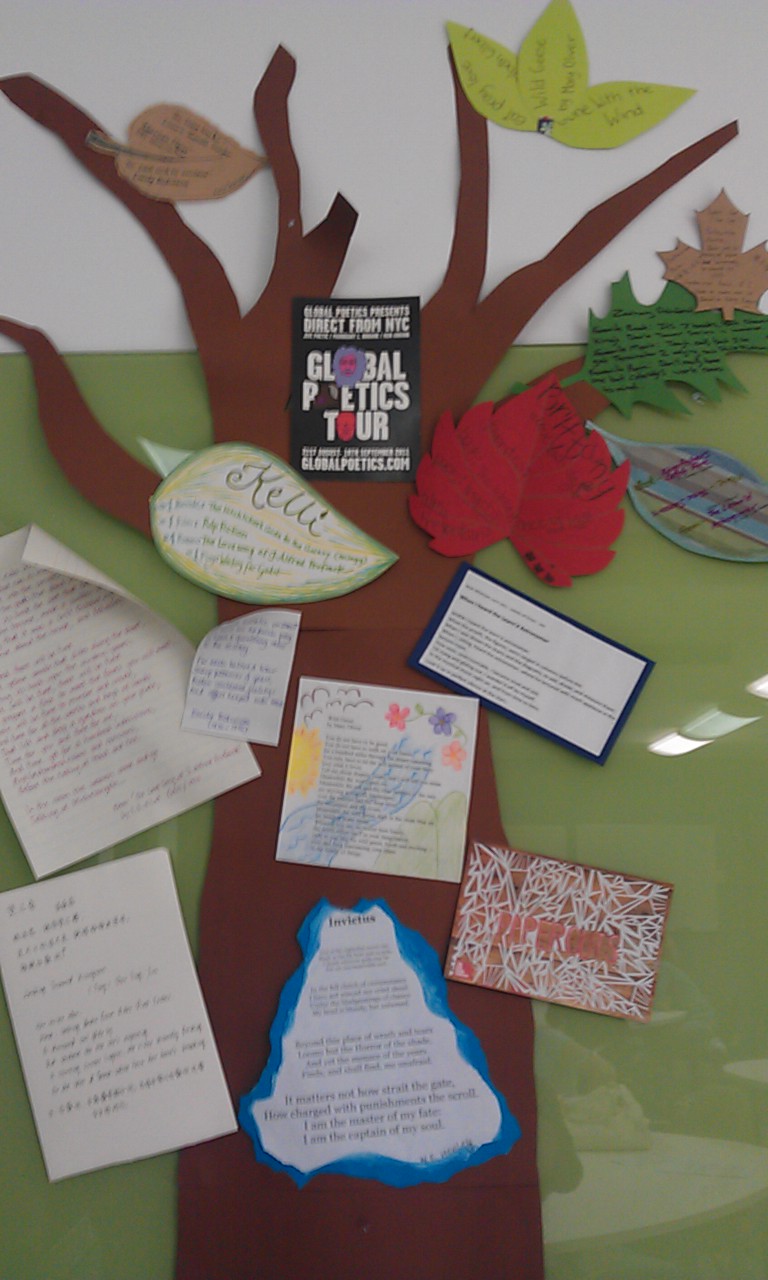
Today: When I saw Bianca’s tweet today with a picture of her classroom wall painted with blackboard paint, I thought ‘how cool is that!?’
…which motivated me to start designing some posters to add to my classroom this semester.
I’m going for a digital look, rather than getting all crafty with the glitter and paint. I plan to print them out in colour A3 and get the students to decide where they think they should be put up in the room. Here is the first one – two of the key concepts I focus on in my English Curriculum Studies unit:

by me, Kelli McGraw (CC-BY-SA) free-to-use
Mind you, the room I teach in has been a blu-tak free zone for the past two years, because it got a new paint job. This has been severely limiting. While it’s lovely on one hand to teach in a clean and modern space, it’s hard to use a room when you can’t put things up where you want. Teachers who don’t have a ‘home room’ will know the feeling!
The display I have been using so far, however, has been taking up one of the big green write-on groupwork boards in the room (to avoid having to blu-tak the wall). I don’t think I can keep using that board – I need it in my class, and other teachers must too.
So walls, you’ve had two years…the blu-tak is now a-comin 😉
If anyone else has electronic copies of pedagogy-inspired posters that they would be happy to share, I would love to see some more designs. And if you have any ideas for what else you think I should be flagging for 2nd year preservice English teachers, tell me all about that too!
Twitter #hashtags for English teachers to follow
Posted by kmcg2375 in education, learning community, online tools, social media, technology on February 5, 2013
Are you a teacher? An English teacher, perhaps? Trying to find where the good chats are on Twitter? Look no further! Start by searching for these three English-curriculum-related hashtags and you’ll be on your way to finding and conversing with other teachers just like you!
#ozengchat (weekly)
If you search for this hashtag on Tuesday nights, you’ll find Australian English teachers talking about their craft, ideas and resources.
The #ozengchat group also has a page on Edmodo, which is where voting for the weekly topic takes place (a group code for Edmodo can be obtained by tweeting @vivimat78). Vivian, who convenes the chat, also collects our chat tweets in a weekly online storyline using ‘Storify’.
#ozengchat officially takes place on Tuesday from 8.30pm – 9.30pm, Australian EDST (i.e. GMT +11)

australia-map-flag-olga – Flickr image by lednichenkoolga (CC-BY-2.0)
#engchat (weekly)
As well as a special hashtag for Australian folk, there is also a more general #engchat hashtag that is coordinated for a more global chat.
Currently the #engchat tag seems to be heavily used by teachers in the US – as a result you can see some interesting discussion taking place there now about the implementation of ‘Common Core Standards’ across their states. And of course also a lot of resources being shared that we otherwise might not stumble across through our own local networks!
#engchat takes place at 7pm in the States (EST) every Monday, which is 10am – 12pm on Tuesdays in Australia (Eastern time).

The Globe (78 / 365) – Flickr image by somegeekintn (CC-BY-2.0)
#literacies (bi-monthly)
You can follow the #literacies hashtag on the 1st and 3rd Thursday every month. The convenors are based in the US, so the chat happens on Thursday night for them, which is Friday lunch-time in Australia.
This chat is supported by a very up-to-date and informative blog, where a record is kept of the chats and upcoming topics.
The #literacies tag can be added to your tweets at any time, but Friday 12pm – 1pm (Eastern time) is when you’ll see it live in Australia (i.e. Thursday night 8-9pm in the US).

Literacy mountain – Flickr image by dougbelshaw (CC-BY-2.0)
A tip for non-tweeters:
If you want to check out these tags, but don’t really want to get involved in Twitter or create your own account, never fear!
You can search for these tags any time by going to the Twitter homepage and typing the hashtag (complete with its ‘#’ at the start) into the search bubble. You will need to make your own account to reply with your own tweets, but until then there’s no harm in lurking and learning from afar 😉
Coming to Voice
Posted by kmcg2375 in digital storytelling, education, english, technology on September 23, 2012
Looks like the theme for this blog at the moment is VOICE!
A little while ago I was alerted to this excellent production of student work from South Western Sydney, and I’d like to share it with everyone here on the blog.
Coming to Voice is a collection of ‘literary videos’ from students at Sir Joseph Banks High School. The video production by Westside is 5 minutes long, and showcases an innovative layering of student stories, voices, and animation:
Coming to Voice from BYDS on Vimeo.
From the press release:
Thirteen students from year 7 worked with the Chief Editor of Westside Publications, Michael Mohammed Ahmad, to develop writing that was then animated by 2012 SHORTCUTS film festival winner Vinh Nguyen.
The literary video, called ‘Coming to Voice’ will be screened at an assembly at Sir Joseph Banks High School and will also be launched on the BYDS website as a new web series on August 23rd.
Digital stories, literary videos etc.
BYDS (Bankstown Youth Development Services) seems to have a range of resources relating to the local community on their website: http://www.byds.org.au/ including oral history and photomedia materials. I’m so glad that these kinds of digital arts-based resources are flourishing!
When I talk about ‘digital stories’ or ‘digital narrative’ with teachers, it can be hard to explain the possibilities for the genre. There is of course the Daniel Meadows school of thought that advocates for 2 minute, 12 frame, voice-only digital biographies. The digital storytelling project at QUT uses a similar form.
I think the folks at BYDS have cleverly carved out a different kind of genre here for what they’ve produced – a “literary video”. As the students are reading their POETRY, the production is not quite of STORYTELLING. Could they have called them “digital poems”? Perhaps. But that might distract from the multimedia nature of the production, and the way that animation and video shots add meaning to the piece.
Literary videos… I like it! Thanks for sharing Mariam!
-
You are currently browsing the archives for the technology category.
Nominated!

- Australian English Teachers
 9 members
A group for English teachers in Australia to discuss the books they are reading, and the books th...
Books we've read
View this group on Goodreads »
Share book reviews and ratings with Australian English Teachers, and even join a book club on Goodreads.
 Kelli McGraw
Recent Comments